More Tool Types on Pathway Nodes
Three new tool types are now available directly on Default nodes, expanding on the webhook tool support introduced on March 23. Each type runs inline with the node and follows the same pattern: the agent decides when to invoke based on your dialogue prompt.
- Code: Write JavaScript directly in the node using the inline code editor. Code runs in a secure isolate and has access to conversation variables
- Custom Tool: Attach any saved tool from your tool library directly to a node, with support for overriding individual fields using pathway variables
- Tool Chain: Build a multi-step pipeline that sequences webhooks, code, and custom tools in order, passing variables between steps. Use Norm within the expanded view to help configure and test the chain without leaving the node drawer!
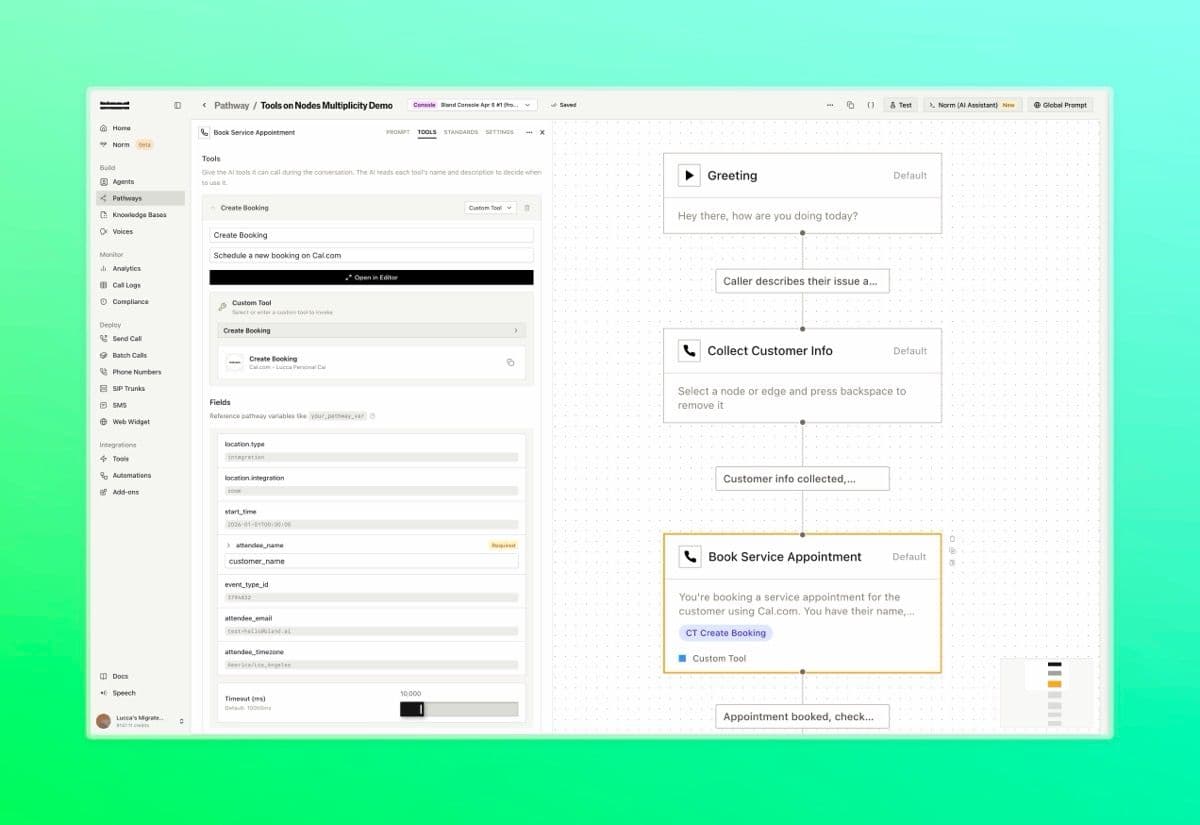
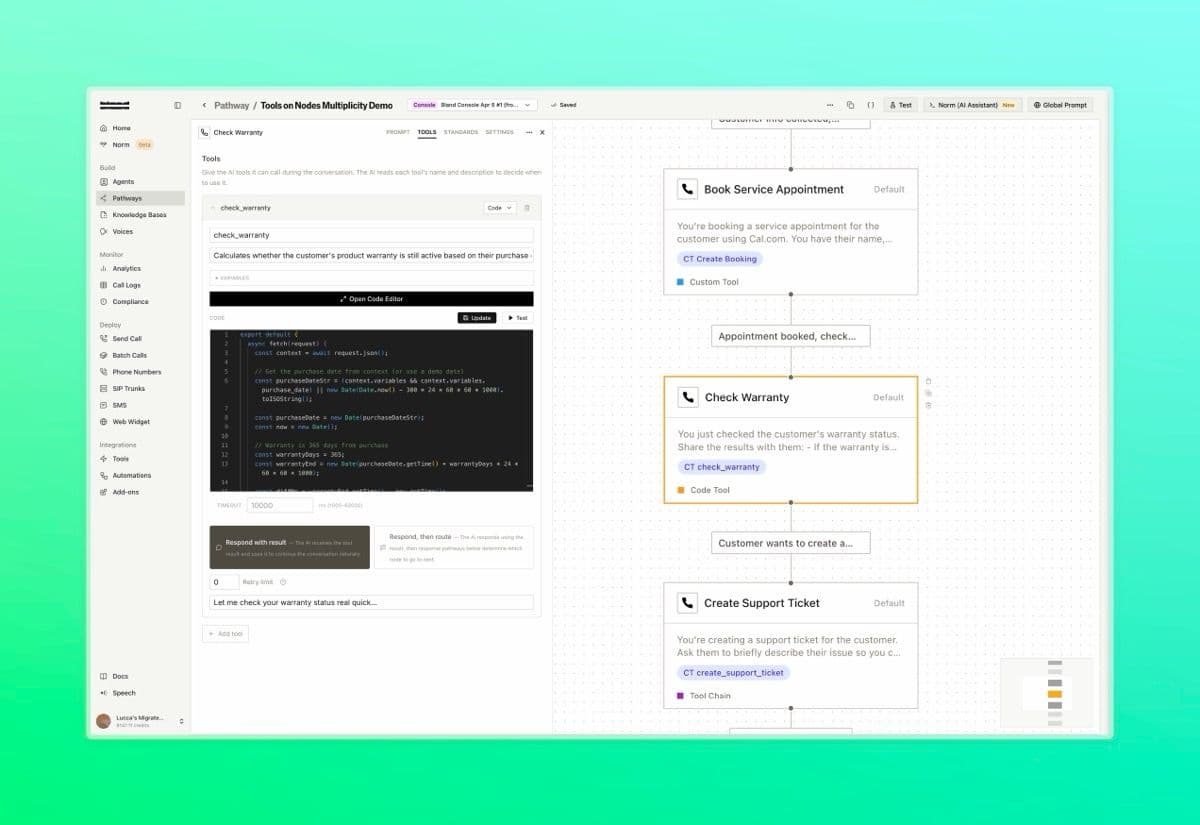
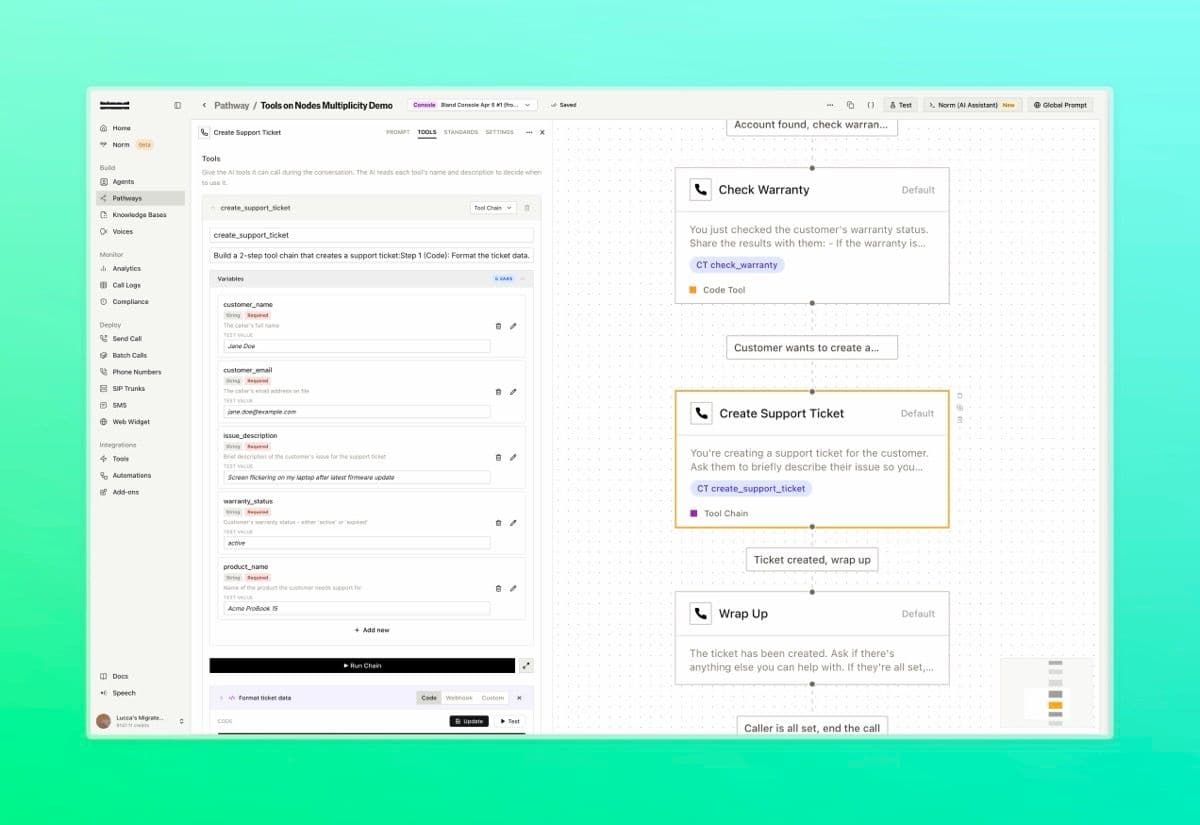
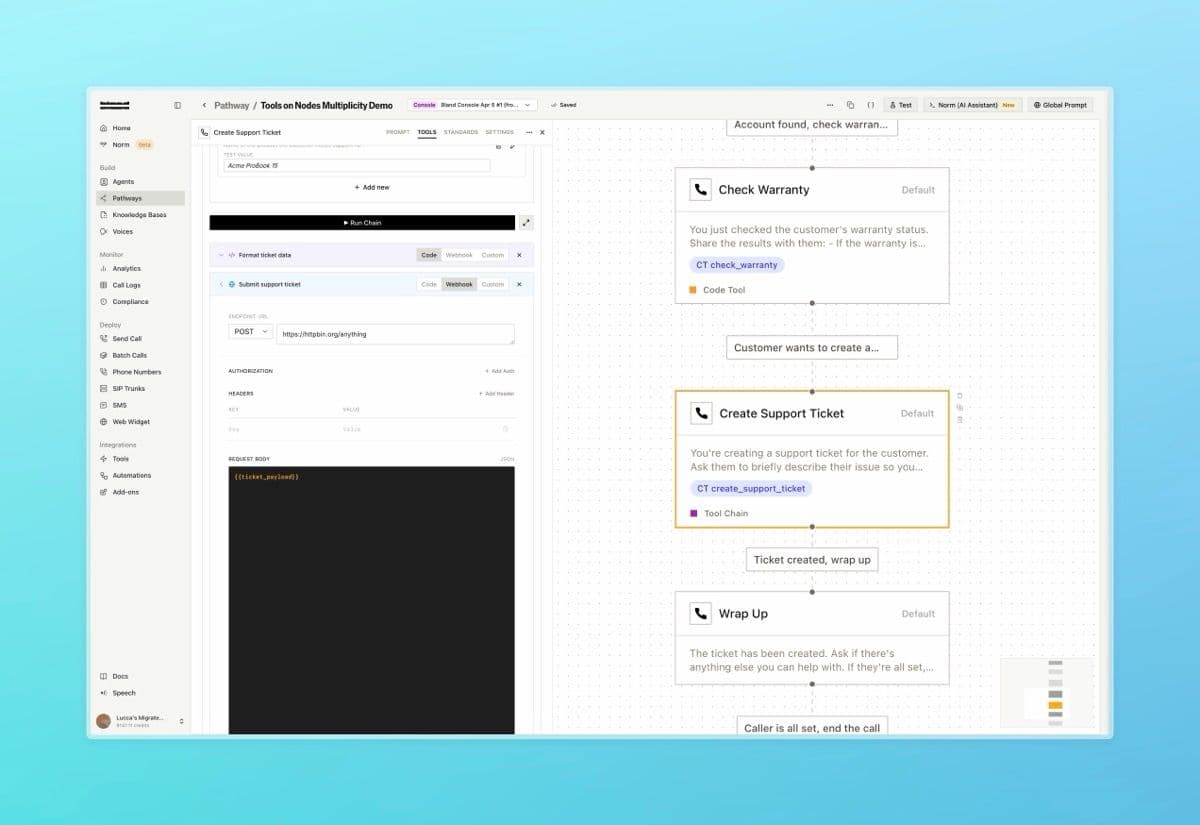
The screenshots below show a customer support pathway that handles a full service interaction in three nodes: booking a service appointment, checking a product warranty, and creating a support ticket, each using a different tool type.
Book Appointment
The Book Service Appointment node uses a Custom Tool to call the Cal.com Create Booking integration directly from the node
Check Warranty
The Check Warranty node runs inline JavaScript to calculate whether the warranty is active, how many days remain, and the expiry date
Tool Chain: Variables
The Create Support Ticket node uses a Tool Chain. Input variables collected earlier in the conversation are passed into the chain
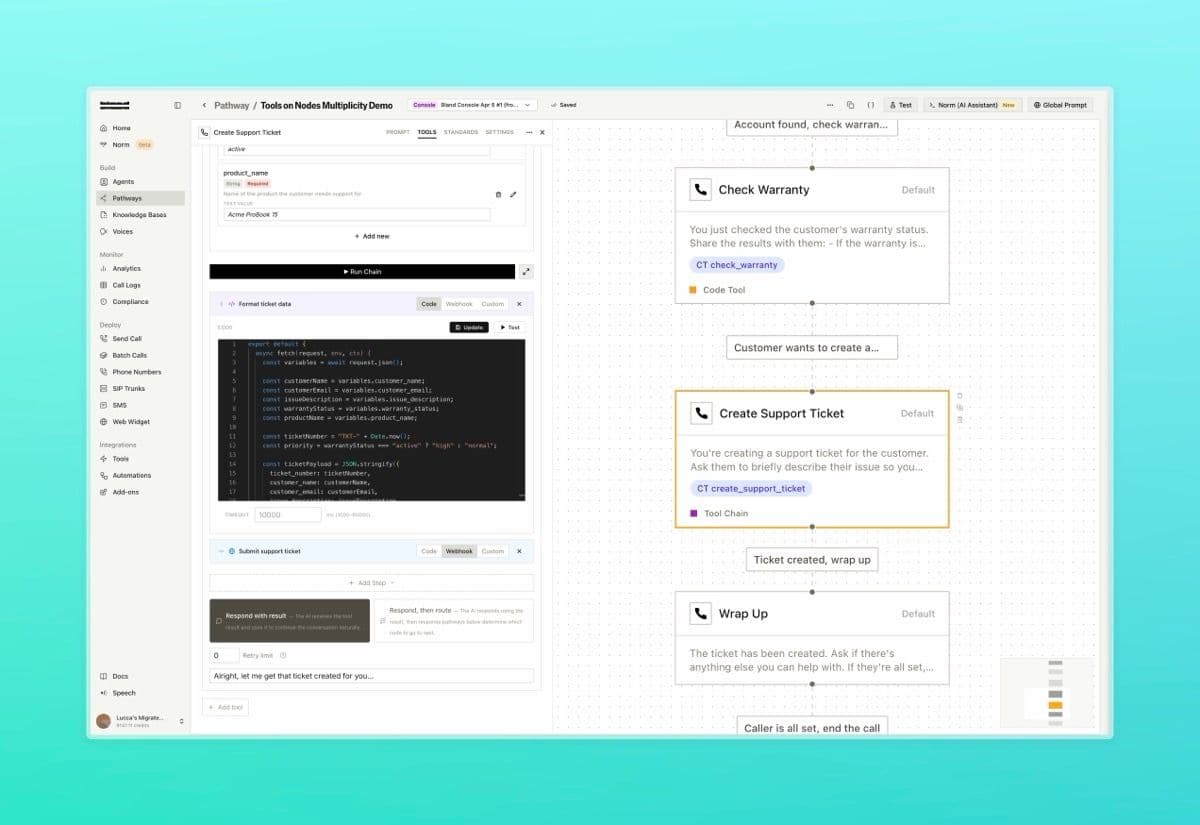
Tool Chain: Step 1
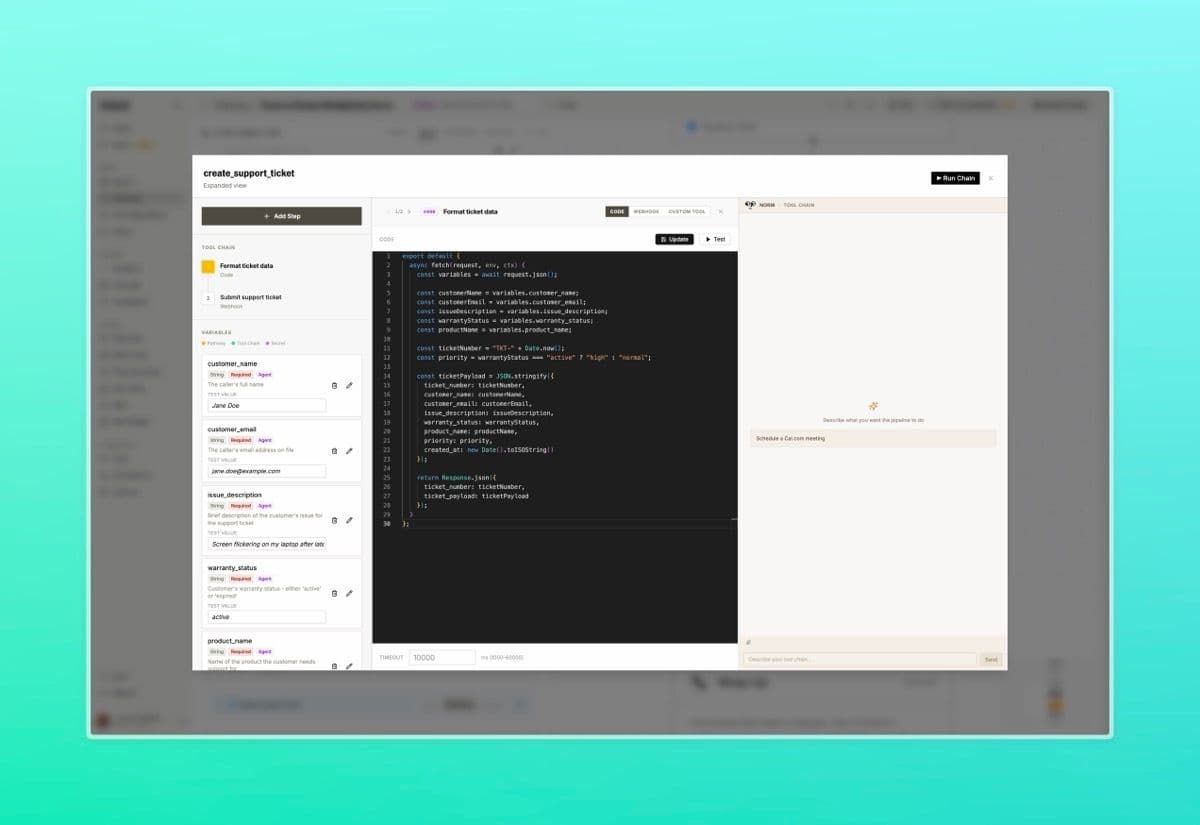
Step 1 is a Code step that generates a ticket number and formats the full ticket payload, setting priority based on warranty status
Tool Chain: Step 2
Step 2 is a Webhook step that POSTs the formatted ticket and extracts the confirmed ticket number from the response
Expanded View
The full pipeline builder with input variables, code editor, and Norm open side by side
The above pathway was entirely built by Norm